Wherebox

Static map image API

Locator maps from a single URL

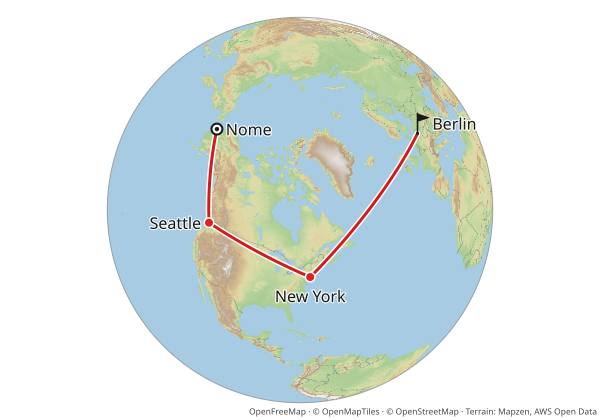
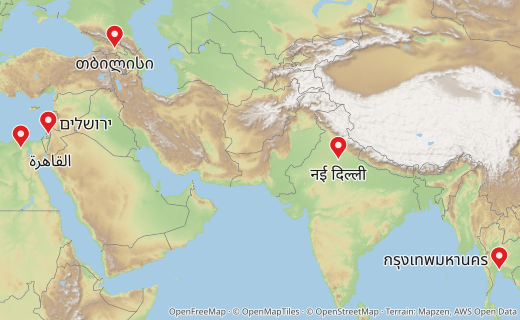
Wherebox turns a request into a locator map image. Name an area, add points or a route, and you get a PNG, JPEG or WebP back: the area is framed and highlighted, the surroundings fade out, and points get markers and labels. It is a plain HTTP API, so an <img> tag is a valid client.

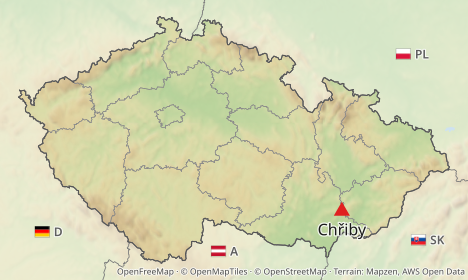
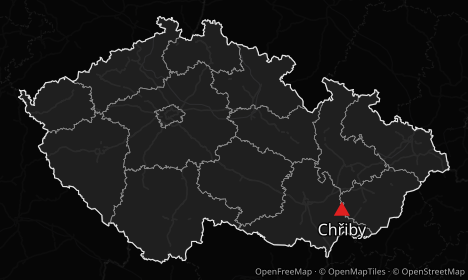
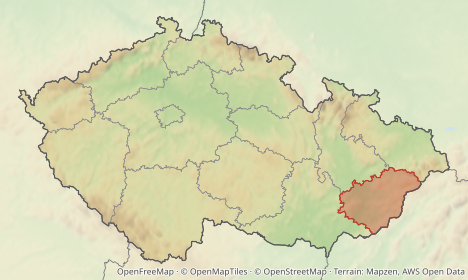
Czechia with Chřiby and neighboring countries
The map this tag renders
GETThis tag is the whole integration
<img src="/v1/map.png?area=Czechia&poi=place:Chřiby|marker:triangle&neighbors=flag+code&w=468&h=280" alt="Czechia with Chřiby and neighboring countries">

How it works

Three ways to ask for a map, from a plain <img> tag to signed embeds. See Authentication (hosted service) for keys and quotas.

  1. Put a URL in an <img>

    Name an area, add points or a route as query parameters. Area and place names are looked up for you, and the image is cached.

    GET/v1/map.png
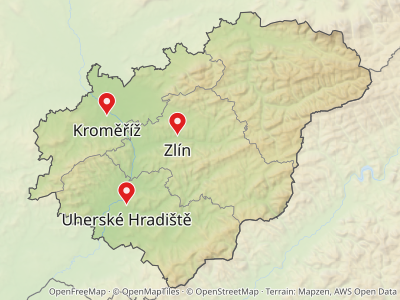
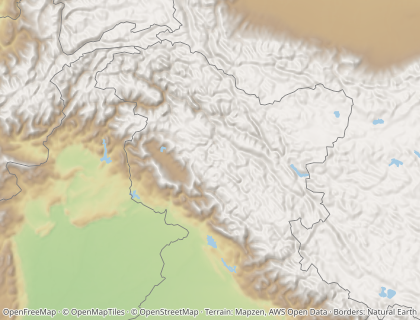
    GET /v1/map.png?area=Zlínský+kraj&w=400&h=300

    In the docs: Locator maps

  2. POST JSON for complex maps

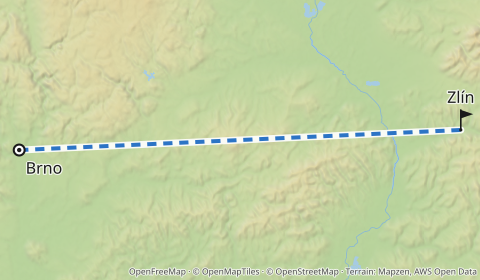
    Long routes, custom icons, your own GeoJSON: send the same spec as a JSON body to POST /v1/map.

    POST/v1/map
    {
      "area": "Czechia",
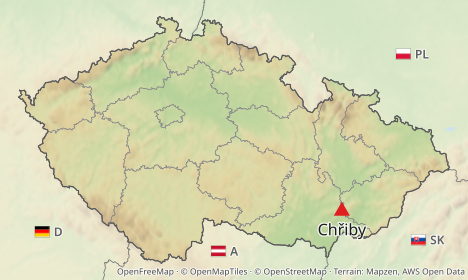
      "pois": [{ "place": "Chřiby", "marker": { "shape": "triangle" } }],
      "width": 468,
      "height": 280
    }

    In the docs: Getting started

  3. Sign URLs for public pages

    On the hosted service, sign <img> URLs on your server with a publishable key, so a page can embed maps without exposing a secret.

    GET/v1/map.png
    GET /v1/map.png?area=Czechia&poi=place:Chřiby&w=468&h=280&apikey=pk_8fK2aQ1mZr9TbL0x4WcYvN3sHd7uJe6p&sig=Jx3w0b2kQnVt9yRmZsLc4u8hAe1pDfGo

    In the docs: Authentication (hosted service)

SDKs

Typed clients that build and sign URLs, render to bytes, and turn every error into one class. Optional: a URL is all you need.

The snippets are the SDK READMEs' own examples, compiled (TypeScript) and run (Python) by the test suite.

TypeScript

npm install @wherebox/sdk
import { createClient } from '@wherebox/sdk';

const wherebox = createClient({ baseUrl: 'https://maps.example.com' });

const src = await wherebox.url(
  { area: 'Czechia', pois: [{ place: 'Chřiby', marker: { shape: 'triangle' } }], width: 468, height: 280 },
  { format: 'webp' },
);
// https://maps.example.com/v1/map.webp?area=Czechia&w=468&h=280&poi=place%3ACh%C5%99iby%7Cmarker%3Atriangle
console.log(`<img src="${src}" width="468" height="280" alt="Czechia, Chřiby highlighted">`);

TypeScript SDK guide

Python

pip install wherebox
from wherebox import Client

client = Client("https://maps.example.com", publishable_key="pk_…", signing_secret="<hex signing secret>")
src = client.url({"area": "Czechia", "pois": [{"place": "Chřiby"}], "width": 468, "height": 280}, expires_in=3600)
# <img src="{{ src }}">

Python SDK guide

Built for agents

Coding agents that add maps to an app, and assistants that need a map for an answer, get the same API plus docs they can read and errors they can act on.

Claude Code plugin

Teaches Claude Code to add Wherebox static locator-map images to apps: GET <img> URLs vs POST specs, signed URLs with publishable keys, the TypeScript and Python SDKs, and ambiguous-name handling.

claude plugin marketplace add wherebox/claude-plugin
claude plugin install wherebox@wherebox

Public repository: github.com/wherebox/claude-plugin. Other agents that read the Agent Skills format can use its skills/wherebox folder.

llms.txt

An index of every docs page with one-line descriptions, in the llms.txt format. llms-full.txt holds all guides and the reference in one file.

/llms.txt

Markdown for every page

Every docs page is also served as Markdown: add .md to its path. Each HTML page links to it with rel="alternate".

/docs/guides/getting-started.md

OpenAPI

Every endpoint, parameter and response as an OpenAPI document, generated from the same schema the server validates against.

/openapi.json · API explorer

Unknown parameters fail loudly

A typo is a 400 with a "did you mean" hint, never a silently different map. Agents fix their request from the response alone.

Query parameters

Errors an agent can act on

Errors are application/problem+json. The type is a stable docs URL, so an agent can look up what went wrong. A name that matches several areas returns 409 with candidates to pick from, instead of a wrong map.

{
  "type": "https://wherebox.dev/docs/errors#ambiguous",
  "title": "Ambiguous name",
  "status": 409,
  "detail": "\"Nová Ves\" matches 10 areas; pass level, country or an id",
  "candidates": [
    {
      "id": "r439539",
      "ref": "osm:r439539",
      "name": "Nová Ves",
      "adminLevel": 8,
      "context": "Česko › Karlovarský kraj › okres Sokolov"
    }
  ]
}

The ambiguous error · All error types

MCP server Coming soon

A hosted MCP server is planned. Until then, agents call the HTTP API directly.

Free for everyone

The hosted Wherebox service is free for everyone. To keep it that way, each account gets a monthly allowance and a few limits that protect the service for all users. Most sites and apps never come close: a locator map is rendered once and then served from the cache, and cached maps never count.

Self-hostable

Run the whole service on your own server. Wherebox is one Node 22 API process plus a PostGIS database.